Practise violin with video: see the bow and the crossing
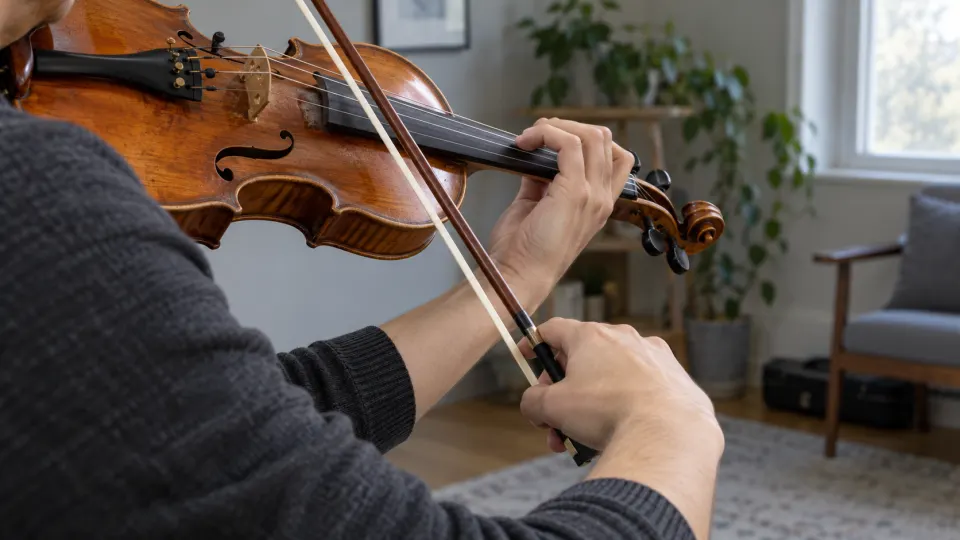
An unstable note can begin with the movement before it. When following a violin video, watch not only where the left hand lands, but where on the bow a note starts and how the arm prepares a string crossing. Loop the preparation and the first settled note afterwards. That makes a short, slowed passage more useful than repeatedly following the whole performance.

Hear the phrase before studying the hands and bow
Choose a demonstration where both the sound and the hands are clear. If an open string is out of tune, check the violin's G–D–A–E strings with the online tuner first. Then hear the phrase's pitch direction and rhythm; watch one thing at a time: a bow change, a string crossing or a left-hand shift. Footage can show bow direction and an approximate contact point. It may not reveal pressure, friction or tension in the player's body; use your own ears, physical feedback and a teacher's advice for those. Don't guess finger placement from a blurred frame.
The separate illustrative score uses four bars of the Ode to Joy melody in G major, beginning B–B–C–D. It is a pitch-and-rhythm example, not notation recovered from the video.
Loop the preparation and the landing
- For a string crossing, begin on the previous string's last note. Watch when the bow arm changes plane and listen for a clean first note on the new string. Starting only after that note sounds cuts out the transition.
- For a bow change, hear both sides of the turn. Does the note suddenly get heavy, or disappear just before the bow reverses? Watch at a slower speed, then hear whether the phrase remains connected at a more natural pace.
- For a position shift, keep the next note too. Landing on the target pitch is only part of the task; you must carry on with the phrase. Check a consistently sharp or flat arrival by ear, not by sight alone.
More than one fingering or bowing can work. Hand shape, phrase speed and what comes next all matter. If you study with a teacher, their feedback on your own sound and movement takes precedence.
Reconnect the musical line
Once each attack and release is clear at a low speed, extend the loop to the preceding beat and then the whole phrase. Bow distribution across a longer line may require a different solution from the short loop. Return towards the original speed as the motion settles; gradual speed training can help you step up. Very slow playback changes the feel, so check tone and phrasing again at normal speed.
Practice Mode remembers this video's loop range and last-used speed. You can name separate loops for bow changes or shifts. Actual elapsed playback time goes into the video's practice record, but the app does not listen to your violin or rate intonation or posture. For selecting and framing videos, see how to practise with YouTube videos.
Free practice and video limits
Looping, slowing, saving loops and practice records are free without signup when YouTube permits the video to play in an embedded player. Some videos cannot be embedded; available speeds depend on YouTube's player. The app does not download the video or create a score from it.
FAQ
The bow looks smooth in the video, but mine sounds scratchy. Why?
The camera may miss contact details. Bow speed, pressure, contact point and tension affect sound. Loop the moment the noise begins, then ask a teacher or another player to hear your actual result.
What if I still cannot see the crossing when slowed down?
Choose a demonstration with a clearer angle and sound. If the contact point remains hidden, listen to the new string's attack instead of guessing.
Can I loop a performance as well as a lesson?
Yes, if YouTube permits that performance to play in an embedded player.
Find a demonstration where the bow and left hand are visible. Loop one crossing, bow change or shift, then reconnect it to the phrase.