Practise guitar with video: study one move at a time
Don't rush to follow the whole song. A fast-sounding riff may actually be a picking-rhythm problem, a fretting-hand shift or a missed connection between the hands. Identify which one is holding you back. Then loop a passage short enough to repeat, but long enough to include the movement into and out of the difficulty. If the video plays here, Practice Mode can loop and slow it without downloading it.

Separate picking and fretting problems
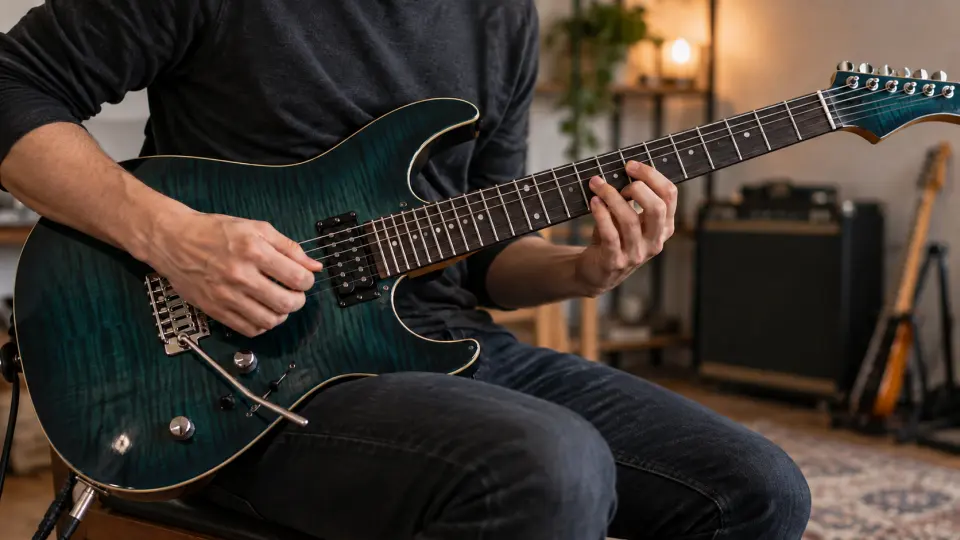
Before playing along, check each open guitar string with the online tuner. Then hear the accents and where notes enter the beat. Watch the picking hand: with a pick, check downstrokes and upstrokes; with fingerpicking, check finger order. Muting may involve both hands. If the camera misses the picking hand, find a clearer angle rather than guessing.
For the fretting hand, watch where fingers land and when they prepare a shift. During a string change, check how both hands coordinate. The final fret is not the whole story: when do the fingers leave the old shape, move and let the new note sound cleanly? Footage may not reveal every fingering, so compare what you hear with what you can play comfortably.
Three problems need three different loop boundaries
- An unsteady riff. Leave a preparatory beat before the first pick attack and include the following beat or phrase at the end. Clap the rhythm, or play the picking pattern on muted strings, before adding the fretting hand.
- A solo shift that fails. Loop the last note before the move and the first note after it. Slow down to watch release, travel and landing, then hear whether the target note arrives on time and cleanly. Widen to the whole phrase once the shift is secure.
- A late chord change. Include the old chord's final strum, the hand movement and the new chord's first beat. Listen for a timely, clean first attack before restoring the full strumming pattern.
The two handles set the range; see looping and slowing a YouTube passage for the controls. Uploading your own recording is free with a free account; the same practice method works for that file.
Check slowly, then reconnect the phrase
Slowing is for hearing and seeing the detail, not staying at a low speed forever. Listen once, pause and play it yourself, then try with the loop. If the same beat fails each time, isolate its rhythm or hand movement before increasing speed. Widen the passage on both sides and step towards the original speed; gradual speed training covers that progression. For how playback speed affects sound and pitch, see slow down music without changing pitch.
Practice Mode remembers this video's loop range and last-used speed in your browser; name separate loops for different problems. Actual elapsed playback time and speed settings enter the video's practice record, but the app does not assess whether you played the guitar part correctly.
How this differs from the general video guide
This page focuses on picking rhythm, fretting-hand shifts and the join between the hands. For a start-to-finish approach to choosing a video and continuing tomorrow, see how to practise with YouTube videos; that guide applies to other instruments too.
Free practice and video limits
YouTube supplies its own embedded player. Looping, slowing, saving named loops and recording practice are free without signup when a video can be embedded. Some videos cannot be embedded, and available speeds depend on YouTube's player. The app does not download or separate YouTube audio.
FAQ
Must I learn the whole solo before setting a loop?
No. Start with one clear difficulty, such as a position shift or two bars of rhythm. Include the actions into and out of it, then expand the loop.
What if the video does not show the fingering clearly?
Use the rhythm and pitches you can hear, then find a clearer reference angle. Don't present a fingering the camera misses as the only correct one.
What if a guitar video will not open here?
Some creators or YouTube settings prevent embedding. Choose another playable demonstration; the app cannot override that restriction.
Choose an embeddable guitar lesson or performance. Pick one riff, shift or chord transition; see it, loop it slowly, then reconnect the phrase.